MyDirectPlan is a free online tool designed to help you manage your Special Services at Home (SSAH), Passport and Residential funding. MyDirectPlan allows you to manage expenses, submit invoices electronically to your funding agency (Ministry Regional Office or Passport Agency) and view your remaining balance from your account.
MyDirectPlan can be used on any updated compatible browser (Safari, Chrome, Firefox, Edge) on both desktop (computer) and on your mobile device (phone/tablet) when you download our mobile app from the Google Play or Apple App store. We always recommend keeping your browser up-to-date on any device to ensure optimal performance.
Recipients of Special Services at Home (SSAH), Passport, or Residential Funding, their support workers, and any person managing their funds may use MyDirectPlan. MyDirectPlan’s Expense Management Tool can be used by agencies to more easily manage and submit Passport-eligible expenses online and directly to PassportONE on behalf of their clients.
To create your free MyDirectPlan account, click here.
Sign up only takes a minute and you will be directed through the necessary steps. Please make sure you have your Passport/SSAH funding documents handy.
For Special Services at Home (SSAH), the ‘Primary Contact’ is the parent/primary caregiver who is managing the child’s funding and whose signature is being placed on the invoice. For Passport and Residential funding, the ‘Person Managing Funds’ is an individual who is managing the funding and whose signature is being placed on the reimbursement forms. This could be the Recipient or another individual such as the parent/caregiver.
‘Recipient’ refers to the individual with a disability who has been approved for either Special Services at Home (SSAH) or Passport funding. For SSAH, the ‘Recipient’ is the child with a developmental and/or physical disability who has been approved for SSAH funding. For Passport, the ‘Recipient’ is the adult with a developmental disability who has been approved for Passport funding.
If you are an adult with a developmental disability that has been approved for Passport funding, you will register as a ‘Recipient’. If you are managing the SSAH or Passport funding on behalf of someone you support, you will register as a ‘Fund Administrator’ / ‘Person Managing Funds’. When creating an account to manage SSAH funding, you will not be given the option to register as a ‘Recipient’.
Your funding amount and client code is determined by either the Ministry Regional Office (SSAH) or Passport Agency (Passport), and this information is outlined in the funding package you will have received from them. If you cannot find this information, please kindly contact your local Ministry Regional Office or Passport Agency as they will have this information.
For help locating your Regional Office or Passport Agency, please visit our Passport and SSAH pages.
Eligibility for reimbursement is determined by your Passport Agency or Ministry Regional Office. We kindly request that you speak directly with them to determine if an item is eligible for reimbursement.
For help locating your Regional Office or Passport Agency, please visit our Passport and SSAH pages.
Your direct deposit and banking information is handled directly by your Ministry Regional Office or Passport Agency. You will need to contact them to submit your direct deposit and banking information.
For help locating your Regional Office or Passport Agency, please visit our Passport and SSAH pages.
MyDirectPlan will display budget information for up to three fiscal years:
You can continue submitting expenses as usual, as budget information may not always be immediately available, particularly for the future fiscal year. Budget information will appear automatically when it becomes available.
MyDirectPlan requires worker accounts to be created in order to verify their hours worked, rate, and total amount of the expense being claimed.
Workers log into their MyDirectPlan account and digitally approve the expenses entered by the Recipient or Person Managing Funds in lieu of providing a physical signature on a claim. This allows MyDirectPlan to place an electronic signature on the claim so it can be submitted for reimbursement.
No. The MyDirectPlan system is not directly connected with your Ministry Regional Office or Passport Agency’s system. Any changes to your personal details (ex. phone number, address, banking information) need to be reported directly by you to your Regional office or Passport Agency.
For help locating your Regional Office or Passport Agency, please visit our Passport and SSAH pages.
For an SSAH funding Recipient, after submitting your first invoice through MyDirectPlan, the ‘Recipient’s Legal First Name’, ‘Recipient’s Middle Name’ and ‘Recipient’s Legal Last Name’ fields on the Child Recipient Profile will be locked. To make changes to these fields, please contact MyDirectPlan Customer Support.
For a Passport funding Recipient, the ‘Registered Passport Name’ and ‘Client Code’ fields become locked after a profile is verified. To update these fields, please contact MyDirectPlan Customer Support.
Check out the MyDirectPlan Knowledge Base for answers to your questions on managing support workers, expenses, and your account.
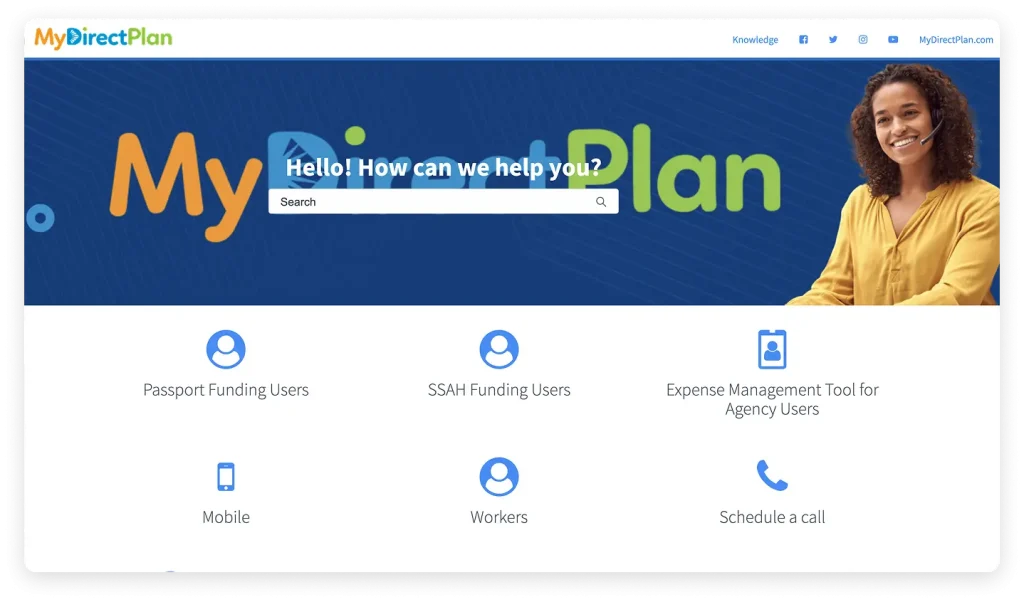

Easy to follow YouTube videos to provide you with step by step instructions.
Visit our Contact Us page for ways to connect with us for more information.
Monday – Friday
10 AM – 6 PM EST



No more manual setup. Your funding balance updates automatically — total funding, amount used, claims under review, and available balance all in one place.
Your Support contact information will stay current automatically — including the Recipient, Person Managing Funds, Payee, Support Worker(s), and Passport Agency details.
View your Passport Agency and Coordinator details all in one place.
For more information, please check our updated FAQs page
Important Announcements!
Your feedback will help us identify opportunities to improve the Passport Program. The survey will remain open until October 2026. Take the survey with the link: https://www.surveymonkey.com/r/Passport_pmf
Our Terms of Use have been updated as of June 15, 2026. Please take a moment to review the changes. View Terms of Use
There’s now a deadline to send in your claims for reimbursement through the Passport program. You must submit all past eligible claims, up to and including the 2025–2026 fiscal year, by March 31, 2027. After that, you’ll have 12 months when each fiscal year ends to send in eligible claims. For example, if your expenses are from April 1, 2026 to March 31, 2027, you’ll need to send your claim by March 31, 2028. Click here here to get all the details.
Plus de configuration manuelle. Votre solde de financement est mis à jour automatiquement – le financement total, le montant utilisé, les demandes en cours d’examen et le solde disponible sont regroupés au même endroit.
Vos coordonnées seront mises à jour automatiquement, y compris celles du bénéficiaire, du gestionnaire des fonds, bénéficiaire du paiement, préposé(s) aux services de soutien et de l’organisme du programme Passeport.
Consultez les détails de votre organisme et du coordonnateur du programme Passeport en un seul endroit.
Pour plus d’informations, veuillez consulter notre page de la FAQ mise à jour
We use cookies to provide website functionality, to analyze traffic on our MyDirectPlan site, and personalize content. You can learn more information through our Terms of use and Privacy Policy.